Locus Pop
Transfer workout route GPS coordinates to photos and videos

Overview
Beside the finisher metal, race photos are the next best memories from a race. However, cameras used by race photographers typically don't embed GPS, so those shots arrive without any location data. A similar problem affects action cameras like GoPro, DJI, or Insta360. On a cold start, an action camera can take several minutes to acquire a GPS signal. A quick shot while running or biking can leave you with plenty of photos and videos without embedded location data.
You already track every run, ride, or race with a GPS watch. Locus Pop uses that workout data to tag the photos and videos in your photo library with accurate GPS coordinates, matched by timestamp.
Features
- Scans your entire workout history
- Matches workouts to photos and videos taken during the workout
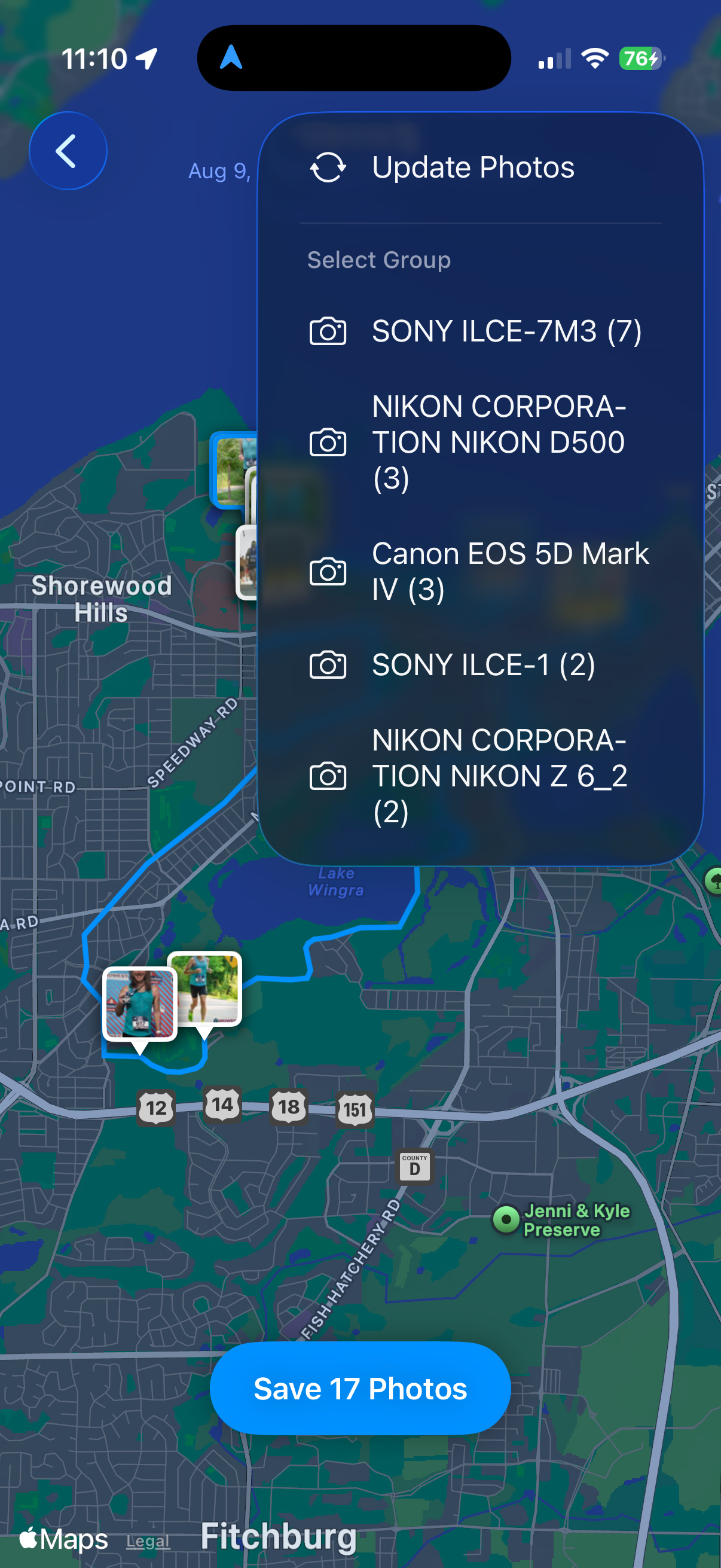
- Plots your media along the workout route so you can see exactly where each shot was taken
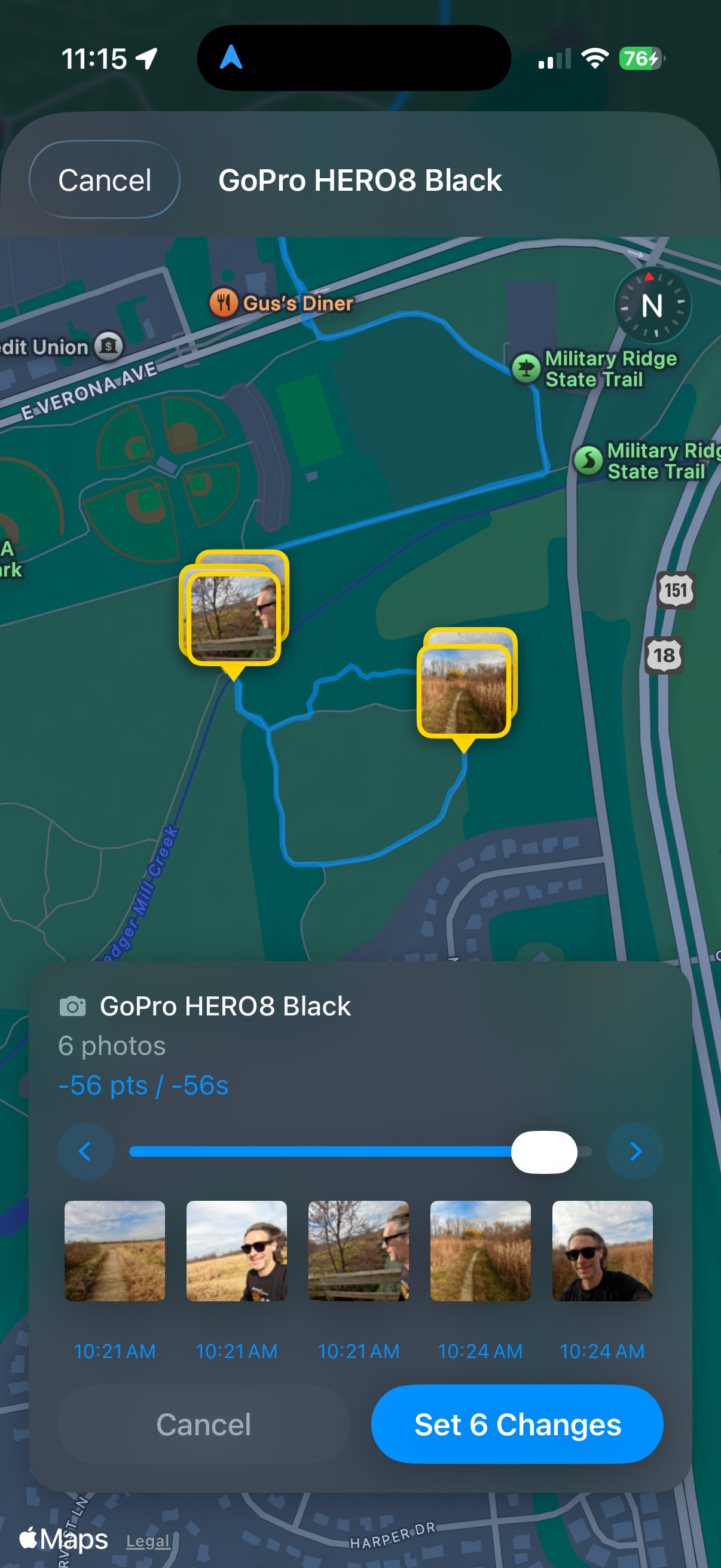
- Fine-tune placement with the nudge tool to correct any location
- Group media by camera and nudge them together while preserving relative positions
- Manually add any photo or video if timestamps don't match
- Manually added media gets both GPS coordinates and an updated timestamp
Screenshots
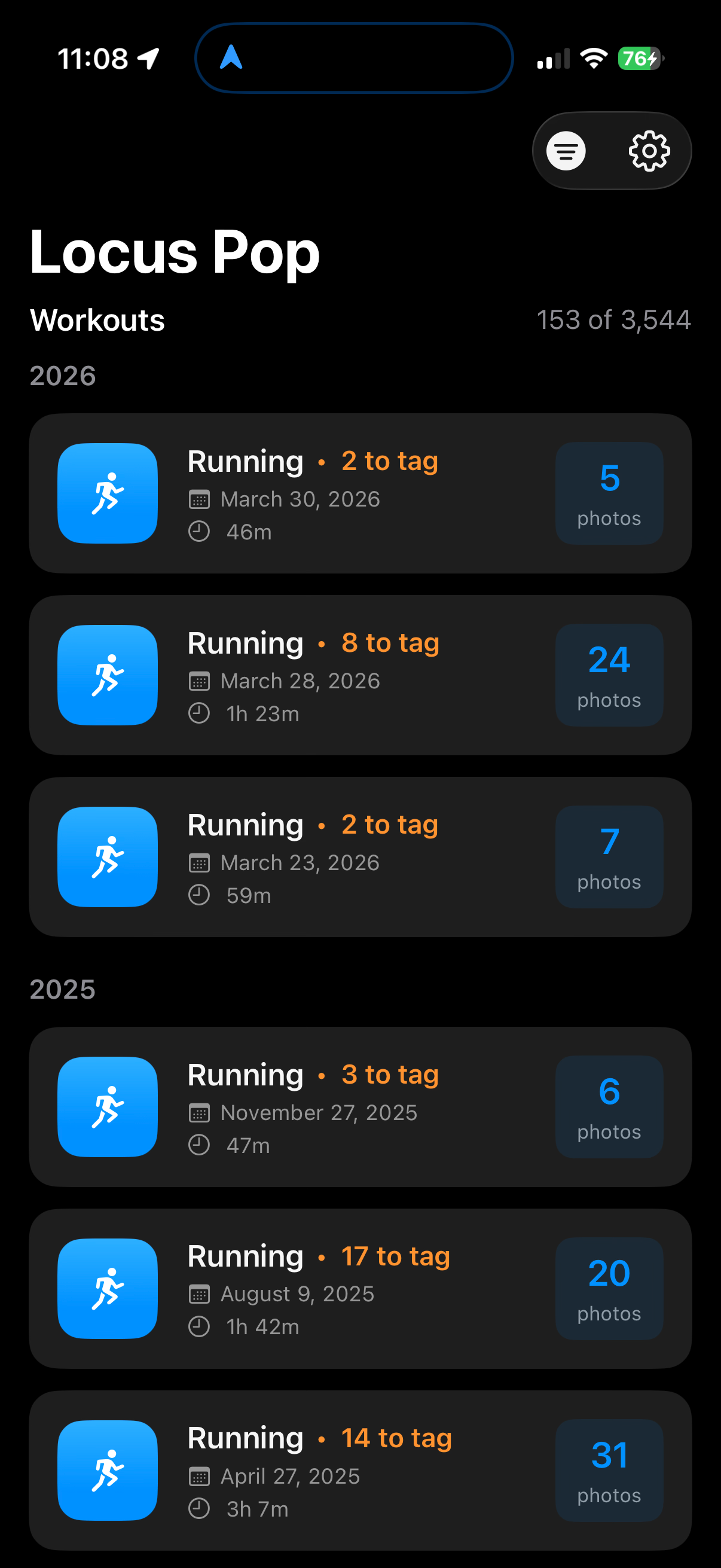
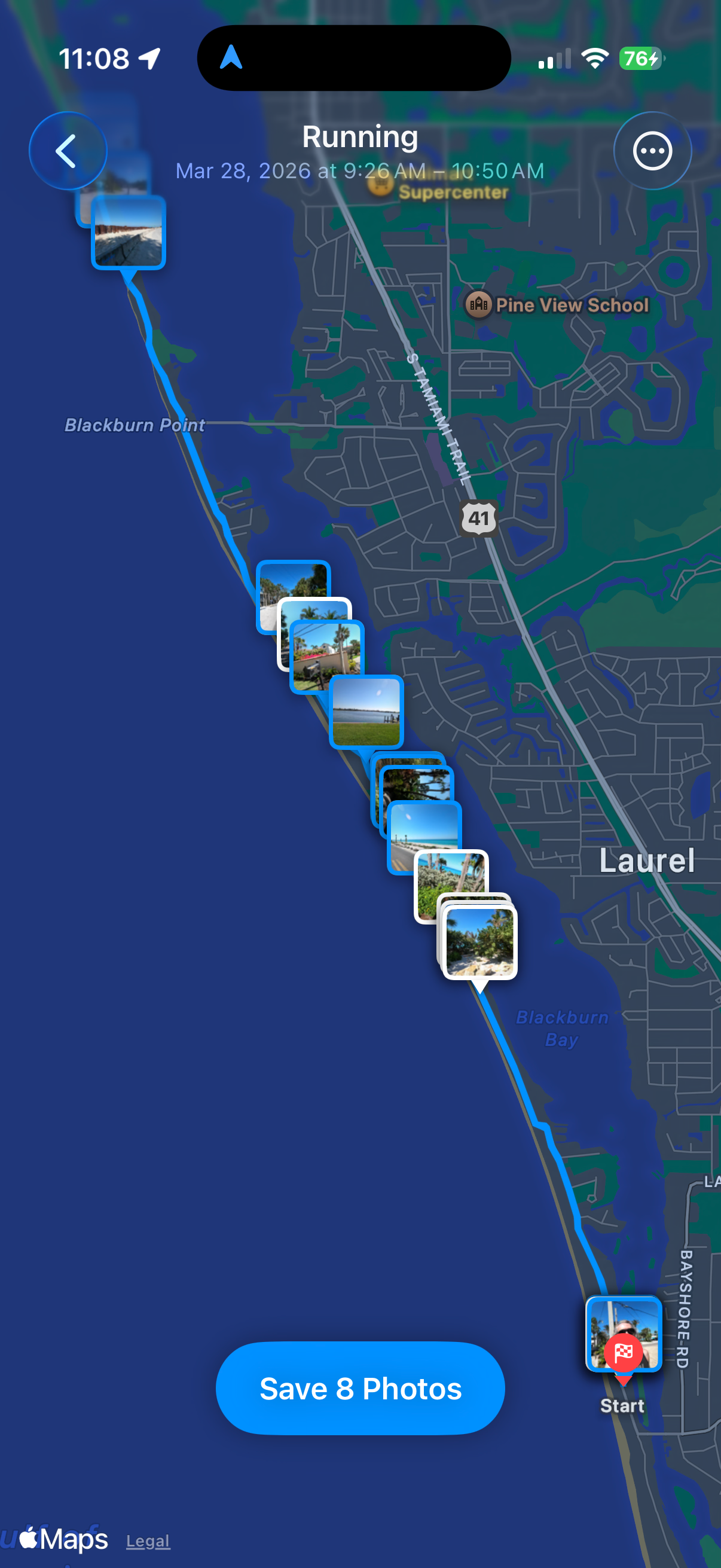
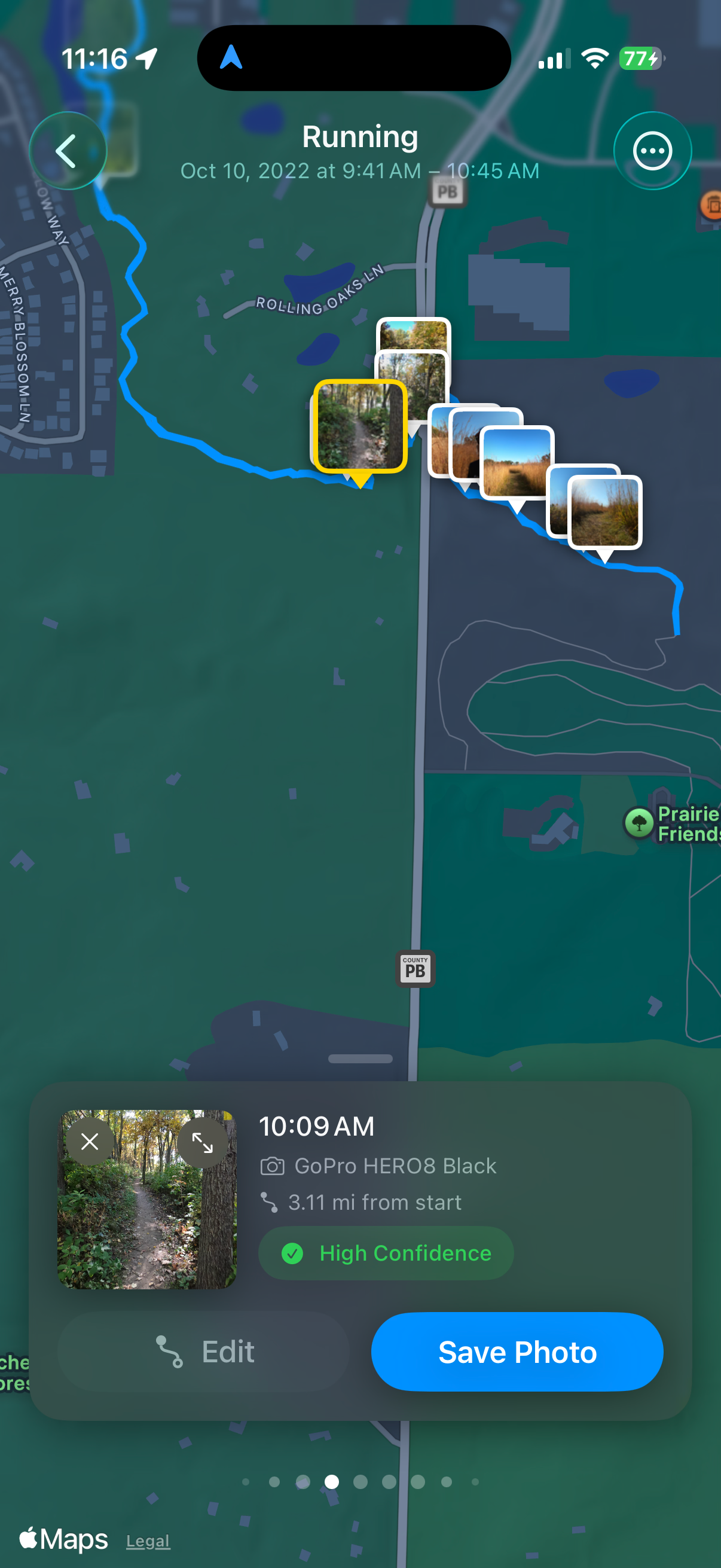
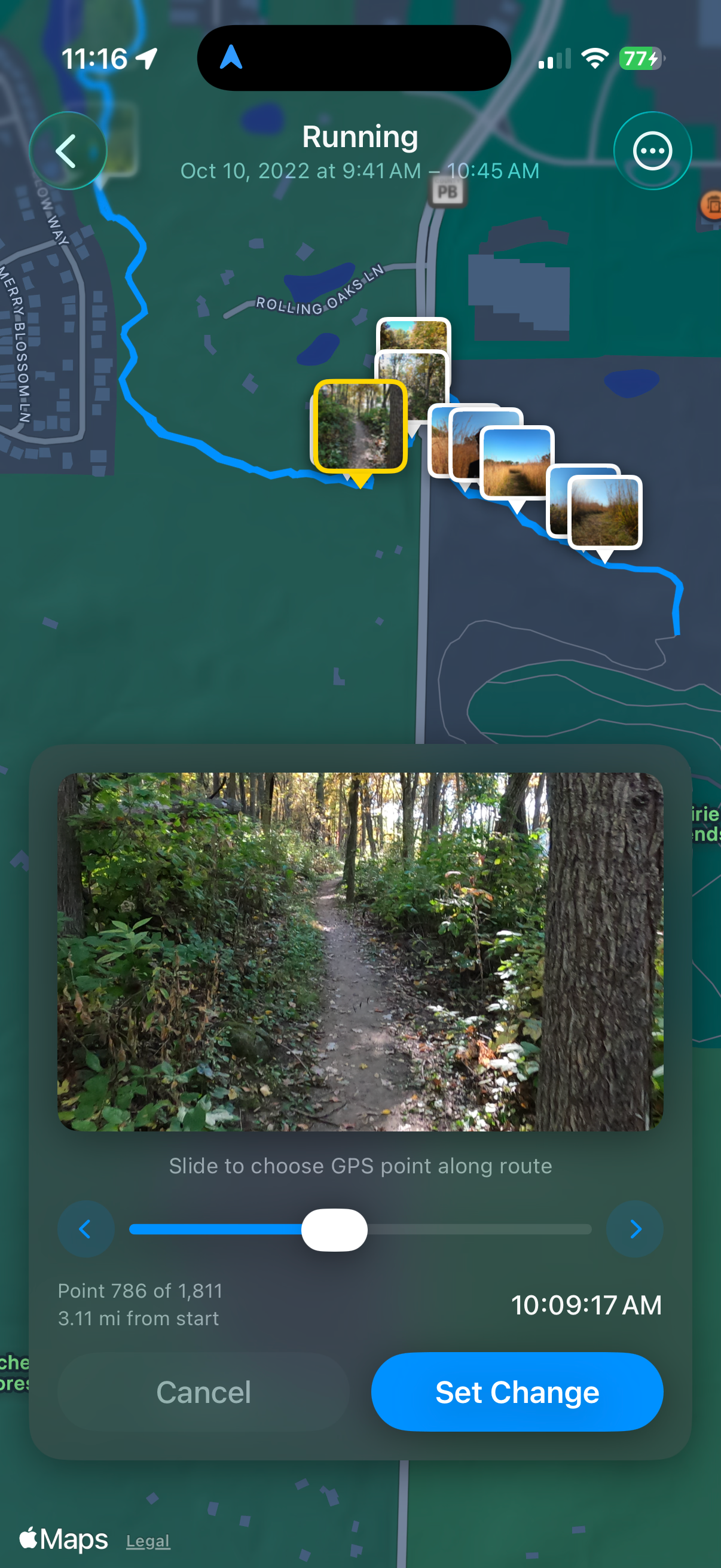
Free & One Time In-App Purchase
The free version of Locus Pop will allow you to go back up to 1 month to match workouts to photos. To scan the entire history of your workouts, the one time app purchase unlocks full history scanning.
Privacy Policy
We do not collect any personal data from you. See the Locus Pop privacy policy.
Get it on the App Store

Release Notes
2026-08-17
v1.2.5
- Improved library scan performance and reduced memory load on larger photo libraries.
- Added Diagnostic logs in Settings to help with troubleshooting.
- Moved statistics to iCloud storage to persist across installs.
2026-08-02
v1.2
- Fixed the app freezing/hanging during large scans.
- Faster full scans on large workout histories.
2026-07-29
v1.1.1
- Success message now says "photo" or "video" to match what was tagged.
- Resized the Continue button, and fixed spacing around the confirmation modal.
2026-06-25
v1.1
- Added support for videos.
2026-06-12
v1.0
- Initial release.